Working Remotely From a Van: Internet, Power, Workspace and Routine
Practical advice for working remotely from a campervan, covering mobile internet, power for laptops, building a workspace, choosing locations and keeping a healthy routine.
Remote work has made it possible for many people to combine a job with life on the road. Working from a campervan can mean answering emails with a sea view, taking calls from a mountain car park, or spending a few days in a town before moving on. It can also mean dropped video calls, a dead laptop battery and a sore back from hunching over a tiny table.
Making it work well comes down to four things: reliable internet, enough power, a usable workspace and a sustainable routine. This guide covers each one.
Check Your Work Requirements First
Before planning anything technical, check the practical side:
- Is your employer or client happy with you working while travelling?
- Are there legal or tax implications of working from other countries? Rules about working while visiting a country differ, and some countries offer specific visas for remote workers. Check official sources or a professional adviser.
- Do you need to be available at fixed hours or in a particular time zone?
- How much video calling do you do? This affects how much data and bandwidth you need.
Internet: Staying Connected
Mobile Data
For most van-based remote workers, mobile data is the main connection.
- Buy local SIM cards or eSIMs in each country, or use a plan that covers the countries you visit.
- Check coverage maps for different networks before choosing a provider.
- Signal varies a lot in mountains, valleys and remote desert areas.
- Keep an eye on fair-use limits and data caps.
Mobile Routers and Antennas
A dedicated mobile router, often with an external roof antenna, can improve reception compared with a phone hotspot. It also lets several devices connect at once. External antennas can help in areas with weak signal, but they cannot create signal where there is none.
Satellite Internet
Satellite internet services for vehicles have become more available in recent years. They can provide connectivity in remote areas without mobile coverage. Consider service availability in your region, equipment cost, power use and local regulations before buying.
Backup Options
- A second SIM from a different network.
- Cafés, co-working spaces and libraries in towns.
- Campsites with Wi-Fi (often slower, but useful as a backup).
Always have a plan B for important calls. If signal is unreliable where you are, drive to a town before the meeting.
Power: Keeping Devices Charged
A laptop, monitor, router and phone running all day use a meaningful amount of power. Plan your system accordingly.
Calculate Your Needs
Add up the power consumption of your devices and how many hours you use them. Include the router, which may run all day. Then add your other loads such as the fridge, lights and fans. Our electrical and solar basics guide explains how to build a power budget.
Charging Efficiently
- USB-C charging directly from 12V is often more efficient than running a mains charger through an inverter.
- Inverters let you use mains-style chargers, but they waste some energy and should be switched off when not in use.
- Solar panels recharge batteries during the day; output drops in cloudy weather and in winter.
- Alternator charging while driving helps top up the battery.
Hook-Up and Campsites
When you have a heavy workload, a few days on a campsite with mains hook-up can make life easier.
Workspace: Comfort Matters
You may be working many hours a week in your van, so ergonomics matter.
Layout Choices
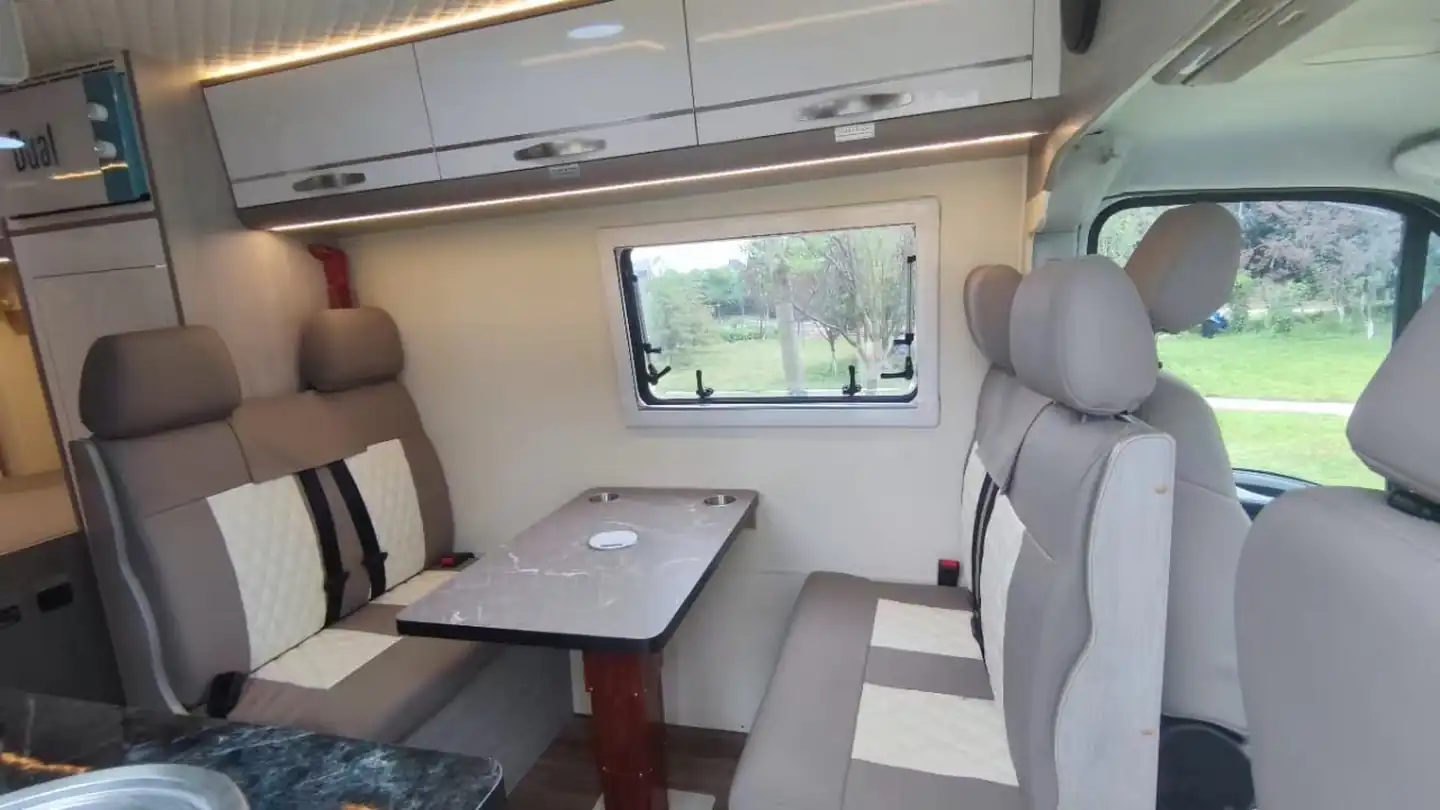
- Dinette or table: a fixed or removable table with seats is the most common setup. See choosing a campervan bed layout.
- Swivel front seats: turning the cab seats around creates a lounge and workspace with a table.
- Dedicated desk: some full-time builds include a small desk area.
- Standing option: in high-roof vans, a raised counter can work as a standing desk. See pop-top vs high-roof.
Ergonomic Tips
- Use a laptop stand with a separate keyboard and mouse to raise the screen.
- Make sure your seat supports your back; add a cushion if needed.
- Take regular breaks to stretch and walk.
- Avoid working from the bed for long periods.
Climate Control
Working in a hot van is unpleasant and bad for electronics. Park in shade, use reflective window covers and roof fans, and follow our staying cool in a campervan tips. In winter, a safe heater and good insulation make work comfortable; see winter camping tips.
Noise and Privacy for Calls
- Use a headset with a good microphone.
- Choose quiet parking spots for calls.
- Use a neutral background or blur for video calls.
- Close curtains for privacy.
Choosing Where to Work
Work days and travel days often need different locations:
- Work days: stable signal, shade, safety, nearby facilities and quiet.
- Travel days: drive and explore, with minimal work.
Many remote workers find a rhythm such as working several days in one spot and travelling on weekends or days off. Constant moving makes it hard to keep up with work.
Routine and Wellbeing
- Set working hours and stick to them.
- Plan your week around signal, travel and deadlines.
- Keep a tidy workspace; packing away work items at the end of the day helps separate work and rest.
- Exercise with walks, hikes, swimming or simple stretching.
- Stay social: co-working spaces, meetups and campsites help prevent isolation.
Security for Your Work Equipment
Laptops and devices are valuable and essential for work.
- Keep devices out of sight when you leave the van.
- Install a hidden safe or lockable storage.
- Back up data regularly to cloud storage or external drives.
- Use strong passwords and device encryption.
- Consider insurance that covers equipment in the van.
Read more in our campervan safety and security tips.
A Sample Remote Work Setup Checklist
- Mobile router or reliable hotspot with local SIMs.
- Backup data option from a second network.
- Sufficient battery capacity and solar for daily work.
- 12V USB-C charging outlets.
- Comfortable seat and table at a good height.
- Laptop stand, keyboard and mouse.
- Headset for calls.
- Roof fan and shade for hot days.
- Secure storage for devices.
- Cloud backups.
Time Zones and Availability
If you travel across time zones, set clear availability for colleagues and clients. A shared calendar showing your working hours helps avoid misunderstandings. Many travellers around the Middle East and Mediterranean find time differences with Europe manageable.
Handling Bad Days
There will be days when the signal is poor, the weather is bad or the van feels too small. Plan for them. Keep a list of nearby co-working spaces or cafés with reliable Wi-Fi, schedule demanding tasks for days when you know you have good connectivity, and do offline work, such as writing or planning, when the signal drops. Being flexible and having a backup plan turns a stressful day into a minor inconvenience.
Final Thoughts
Working remotely from a van is entirely possible with the right preparation. Invest in connectivity and power first, then build a workspace that supports your body, and set a routine that leaves time for the travel that made you choose this lifestyle in the first place.
Gear we recommend
As an Amazon Associate we earn from qualifying purchases. Learn more.
- Portable power station 1000Wh on Amazon
- 4G LTE router with SIM on Amazon
- Laptop stand portable on Amazon
- Starlink mini mount on Amazon